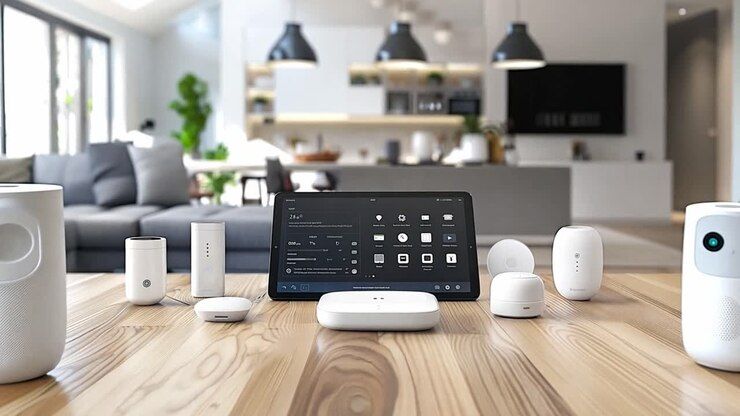
Home automation has become a practical way for many households to improve convenience, comfort, energy management, and everyday routines.
Introduction Home automation has become a practical way for many households to improve convenience, comfort, energy management, and everyday routines. What once required expensive custom installations is now available through a wide variety of smart devices that can work together to automate common household tasks. Whether it's adjusting lighting, managing room temperature, monitoring security cameras, or controlling appliances remotely, home automation helps simplify daily life. The growing popularity of smart speakers, connected sensors, and wireless devices has made home technology accessible to homeowners, renters, and apartment residents alike. Many systems can be installed without professional assistance, allowing users to begin with a few smart devices and gradually expand their setup over time. This guide explains the basics of home automation, different types of smart devices, setup considerations, current technology trends, leading platforms, practical tips, and common questions. Whether you're completely new to smart homes or planning to upgrade your existing system, understanding the fundamentals can help you make informed decisions.
What Is Home Automation?
Home automation refers to the use of internet-connected devices that monitor, control, or automate various household functions. These devices communicate through wireless technologies such as Wi-Fi, Bluetooth, Zigbee, Z-Wave, or Matter-compatible networks.
Users can control devices through:
Smartphone apps
Voice assistants
Smart displays
Timers and schedules
Automation routines
Sensors and triggers
Instead of manually operating every device, automation allows systems to respond automatically based on time, location, motion detection, temperature, or other conditions.
For example:
Lights turn on when someone enters a room.
The thermostat adjusts before you arrive home.
Doors lock automatically at night.
Security cameras send alerts when motion is detected.
Smart plugs switch off appliances after a scheduled time.
How Home Automation Works
A typical smart home setup includes several components working together.
Component | Purpose |
Smart Devices | Connected products such as lights, locks, cameras, plugs, or thermostats |
Network | Wi-Fi or smart home communication protocol |
Smart Hub (optional) | Connects multiple devices into one ecosystem |
Mobile App | Controls and manages devices remotely |
Voice Assistant | Enables voice commands |
Sensors | Detect motion, temperature, light, water leaks, or door activity |
Automation Rules | Trigger actions automatically based on specific conditions |
Some systems work entirely through Wi-Fi, while larger installations often use dedicated smart home hubs for improved reliability.
Benefits of Home Automation
Home automation offers several practical advantages.
Improved Convenience
Users can control multiple devices from one application or by voice commands instead of manually operating each one.
Examples include:
Turning off every light at bedtime
Locking all doors remotely
Starting robotic vacuum cleaners automatically
Better Energy Efficiency
Smart devices help reduce unnecessary energy usage.
Examples include:
Smart thermostats reducing heating or cooling when nobody is home
Motion-controlled lighting
Automated power management with smart plugs
These adjustments may contribute to lower electricity consumption.
Enhanced Home Security
Smart security devices provide additional awareness of home activity.
Common features include:
Motion alerts
Video monitoring
Smart doorbells
Remote locking
Window and door sensors
Many systems notify users immediately when unusual activity is detected.
Remote Access
Whether traveling or working, users can monitor and manage many household systems through internet-connected mobile applications.
Examples:
Checking security cameras
Unlocking doors for visitors
Turning lights on remotely
Adjusting thermostats
Increased Comfort
Automation can personalize household routines.
Examples include:
Morning lighting schedules
Automatic curtain opening
Comfortable room temperatures
Entertainment systems starting with one command
Limitations of Home Automation
Although smart homes provide many benefits, they also have limitations.
Initial Cost
Building a complete smart home can require significant investment, especially when adding multiple rooms or advanced security systems.
Internet Dependence
Many cloud-based devices require stable internet access.
If internet service becomes unavailable, some remote features may stop working.
Compatibility Issues
Not every smart device works with every platform.
Before purchasing, users should verify compatibility with their preferred ecosystem.
Privacy Considerations
Connected devices collect data for functionality.
Users should:
Use strong passwords
Enable two-factor authentication
Keep firmware updated
Review privacy settings
Learning Curve
Although many products are beginner-friendly, configuring automation routines and troubleshooting device connections may require some time.
Types of Home Automation Devices
Smart Lighting
Smart lighting systems allow users to:
Adjust brightness
Change colors
Create schedules
Automate lighting scenes
Control lights remotely
Popular uses include outdoor lighting, bedroom routines, and energy-saving schedules.
Smart Thermostats
Smart thermostats learn user preferences and automatically regulate indoor temperatures.
Features often include:
Weekly scheduling
Remote adjustment
Energy reports
Weather integration
Smart Security Systems
Security products include:
Indoor cameras
Outdoor cameras
Video doorbells
Alarm systems
Motion detectors
Door sensors
These systems help monitor property and send alerts when activity occurs.
Smart Locks
Smart locks allow users to:
Lock or unlock remotely
Create temporary guest access
Monitor entry history
Integrate with automation routines
Smart Plugs
Smart plugs convert traditional appliances into connected devices.
Users can automate:
Lamps
Coffee makers
Fans
Small appliances
Smart Appliances
Many modern appliances now include connectivity features.
Examples include:
Refrigerators
Washing machines
Dishwashers
Air purifiers
Robot vacuums
Entertainment Systems
Connected entertainment devices include:
Smart televisions
Streaming devices
Wireless speakers
Multi-room audio systems
Environmental Sensors
Sensors monitor:
Water leaks
Smoke
Carbon monoxide
Humidity
Air quality
Temperature
Comparison of Popular Smart Home Categories
Category | Main Purpose | Typical Installation | Best For |
Smart Lighting | Lighting control | Easy | Beginners |
Smart Thermostats | Climate management | Moderate | Energy efficiency |
Security Systems | Safety monitoring | Moderate | Home protection |
Smart Locks | Entry control | Moderate | Remote access |
Smart Plugs | Appliance automation | Very Easy | Budget-friendly automation |
Smart Sensors | Monitoring | Easy | Automation triggers |
Smart Speakers | Voice control | Very Easy | Central control |
Home Automation Communication Technologies
Different smart devices communicate using different protocols.
Technology | Advantages | Considerations |
Wi-Fi | Simple setup | Higher power usage |
Bluetooth | Good for nearby control | Limited range |
Zigbee | Reliable mesh network | Often requires a hub |
Z-Wave | Stable smart home communication | Device compatibility varies |
Matter | Cross-platform compatibility | Growing ecosystem |
Thread | Fast and efficient networking | Often paired with Matter |
Matter is becoming increasingly important because it aims to improve compatibility between smart home ecosystems.
Latest Trends in Home Automation
Technology continues to evolve rapidly.
Matter Standard
More manufacturers are supporting Matter, making it easier for devices from different brands to work together.
Artificial Intelligence Integration
Smart assistants increasingly learn user habits and recommend automations.
Examples include:
Predictive lighting
Intelligent climate adjustment
Personalized routines
Energy Monitoring
Many smart devices now include detailed energy tracking that helps households understand electricity usage.
Improved Voice Control
Voice assistants continue becoming more natural, allowing users to control multiple devices with conversational commands.
Health and Wellness Features
Modern smart homes increasingly include:
Air quality monitoring
Sleep-friendly lighting
Indoor climate management
Noise monitoring
Key Features to Consider Before Buying
When comparing products, consider the following:
Platform compatibility
Ease of installation
Mobile application quality
Voice assistant support
Automation capabilities
Device security
Privacy settings
Software updates
Expandability
Warranty
Customer support
Energy efficiency
Popular Home Automation Platforms
Several companies provide widely used smart home ecosystems.
Platform | Strengths | Suitable For |
Google Home | Easy setup, voice assistant integration | Android users |
Amazon Alexa | Large device compatibility | General smart home control |
Apple Home | Strong privacy, seamless Apple integration | Apple users |
Samsung SmartThings | Supports multiple protocols | Advanced automation |
Home Assistant | Highly customizable | Experienced users |
Each platform offers different features, compatibility, and automation capabilities. The best choice depends on the devices you already own and your preferred operating system.
How to Choose the Right Home Automation Setup
Rather than purchasing every smart device at once, build your system gradually.
Step 1: Identify Your Goals
Determine what matters most.
Examples:
Security
Energy savings
Convenience
Entertainment
Accessibility
Step 2: Select One Ecosystem
Choose a primary platform before purchasing devices.
Using one ecosystem often reduces compatibility issues.
Step 3: Start Small
Begin with simple products such as:
Smart speaker
Smart bulbs
Smart plugs
Learn how automation works before expanding.
Step 4: Verify Compatibility
Always check whether devices support your preferred platform.
Step 5: Consider Future Expansion
Choose products that allow additional devices to be added later.
Step 6: Evaluate Security
Look for products with:
Regular software updates
Strong encryption
Two-factor authentication
Reliable privacy controls
Home Automation Planning Checklist
Before starting your setup, review this checklist.
Checklist | Complete |
Identify household needs | □ |
Choose a smart home platform | □ |
Check Wi-Fi coverage | □ |
Set a realistic budget | □ |
Verify device compatibility | □ |
Enable strong account security | □ |
Plan future expansion | □ |
Install software updates | □ |
Create automation routines | □ |
Test all connected devices | □ |
Best Practices for Using and Maintaining Smart Home Devices
Proper maintenance helps improve reliability and security.
Keep device firmware updated.
Use strong, unique passwords.
Enable two-factor authentication where available.
Restart devices occasionally if performance slows.
Replace batteries in wireless sensors when needed.
Clean cameras and sensors regularly.
Review automation routines periodically.
Remove unused devices from your account.
Monitor device permissions and privacy settings.
Back up important automation configurations if supported.
Common Mistakes to Avoid
Many new users experience avoidable problems.
Some common mistakes include:
Buying incompatible devices
Ignoring network coverage
Using weak passwords
Creating overly complicated automation routines
Purchasing too many devices before learning the system
Skipping firmware updates
Overlooking privacy settings
Starting with a simple setup often provides a smoother experience.
Frequently Asked Questions
Is home automation expensive?
Not necessarily. Many users begin with affordable smart bulbs or smart plugs and gradually expand their systems over time.
Do I need a smart hub?
Not always. Many Wi-Fi devices connect directly to your home network. However, some Zigbee or Z-Wave devices require a compatible hub.
Can renters use home automation?
Yes. Many smart devices, such as plugs, bulbs, speakers, and cameras, can be installed without permanent modifications, making them suitable for rental properties.
Does home automation work without the internet?
Some devices continue functioning locally, while cloud-based features like remote access and voice assistants may require an active internet connection.
Are smart homes secure?
Most reputable manufacturers provide encryption and regular software updates. Users should also enable strong passwords and two-factor authentication to improve account security.
Which smart home platform is best?
There is no universal answer. The ideal platform depends on your existing devices, preferred smartphone ecosystem, privacy preferences, and desired automation features.
Can older homes support smart technology?
Yes. Most smart devices connect wirelessly and do not require major renovations, making them suitable for both newer and older homes.
How long do smart home devices typically last?
The lifespan varies by product type and manufacturer. Many quality devices continue receiving software updates for several years, though hardware longevity depends on usage and maintenance.
Conclusion
Home automation is no longer limited to high-end custom installations. Today's smart home technology offers practical ways to improve convenience, security, comfort, and energy management through connected devices that are easier to install and manage than ever before.
A successful home automation setup starts with understanding your household needs, selecting a compatible platform, and expanding gradually as your requirements evolve. Paying attention to compatibility, security, privacy, and future scalability can help create a reliable smart home that continues to meet your expectations over time.
Whether your goal is automating lighting, improving home security, managing energy use, or simply making everyday routines more efficient, a thoughtful approach to home technology can provide lasting value while keeping your system manageable, adaptable, and ready for future innovations.